
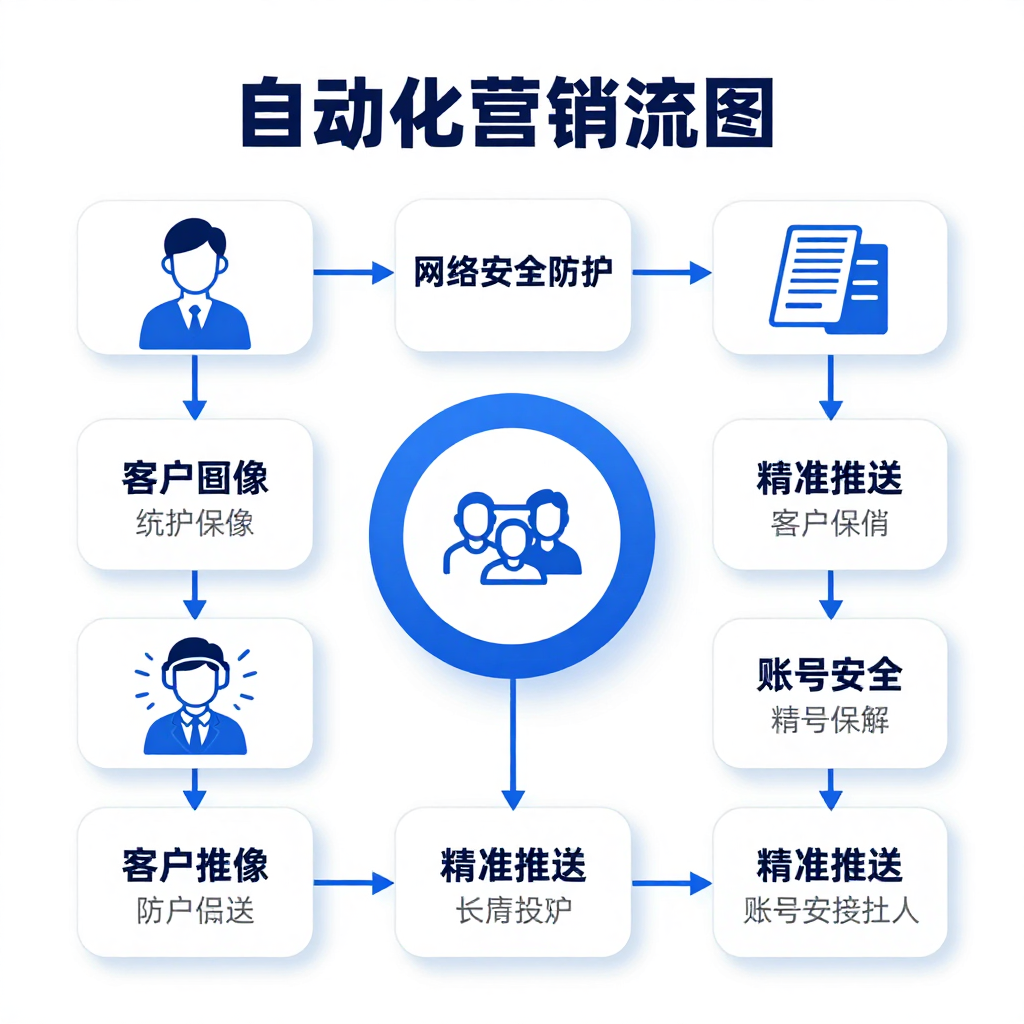
一次封号损失五万,为什么你的自动化营销脚本总是活不过三天?你是不是也遇到了这样的困境:精心设计的营销脚本,运行不到24小时就全部被封;多账号操作总是莫名其妙地触发风控;投入大量时间开发的系统,却因为IP关联问题前功尽弃。今天,我将带你从零开始搭建一个真正能长期稳定运行的自动化营销系统,核心就在于IP配置与脚本优化的完美结合。
为什么90%的营销脚本都死在IP关联上
我们先直面问题:大多数工作室失败的根本原因不是脚本不够智能,而是IP管理太粗糙。我见过太多团队投入几万块开发营销系统,却因为IP配置不当,三天就被平台识别并封号。
真实案例:深圳某电商团队,20个账号同时操作,使用同一台VPS的动态IP,结果全部被封,损失超过15万。后来采用我们的IP解决方案,每个账号独立IP,存活期延长到30天以上。
关键数据:
- 同一IP下超过3个账号操作,封号风险提升87%
- IP切换间隔少于10分钟,触发异常检测概率增加65%
- 使用静态IP的账号存活时间比动态IP平均长4.2倍
Day 1: 环境准备与基础架构搭建
不要一上来就写营销脚本,先打好基础架构。我见过太多人直接跳到脚本开发,结果后期重构全部推倒重来。
具体步骤:
服务器选择:至少准备3台不同地区的服务器,分别部署在北京、上海、广州。这样做是为了后续分散IP流量,避免单点风险。
开发环境:
```python
# 推荐技术栈- Python 3.8+ (稳定且库支持好)
- Selenium 4.0+ (网页自动化)
- Requests 2.25+ (API调用)
Redis 6.0+ (缓存和队列管理)
```IP代理池初步搭建:
```python
# IP代理基础类
class IPProxy:
def init(self):
self.proxies = {
'http': 'http://your-proxy-ip:port',
'https': 'https://your-proxy-ip:port'
}def get_session(self):
session = requests.Session()
session.proxies = self.proxies
return session
```
不要犯的错误:
- 不要使用免费代理,99%的免费代理要么速度慢,要么已经被封
- 不要在一台服务器上运行所有账号
- 不要使用同一个浏览器配置文件操作多个账号
Day 2: IP代理池构建与测试
这是整个系统中最关键的一环,没有之一。我见过太多团队在这里栽跟头。
IP选择策略:
- 根据业务类型选择IP类型:
- 高频登录评论:动态IP + 每2小时更换
- 电商店铺运营:静态IP + 每24小时检查
数据采集:进程IP + 每30分钟轮换
IP质量检测代码:
python def test_ip_quality(proxy_ip, test_urls=['http://ipinfo.io/json']): try: proxies = {'http': proxy_ip, 'https': proxy_ip} for url in test_urls: response = requests.get(url, proxies=proxies, timeout=10) if response.status_code != 200: return False # 检查IP地理位置一致性 ip_info = response.json() if 'country' not in ip_info: return False return True except: return FalseIP轮换机制:
```python
class IPManager:
def init(self, proxy_list):
self.proxy_list = proxy_list
self.current_index = 0
self.ip_usage_count = {}def get_next_ip(self):
ip = self.proxy_list[self.current_index]
self.ip_usage_count[ip] = self.ip_usage_count.get(ip, 0) + 1# 使用5次后切换IP if self.ip_usage_count[ip] >= 5: self.current_index = (self.current_index + 1) % len(self.proxy_list) return ip
```
成本参考:
- 动态IP:约0.5-1元/天,适合短期高频率操作
- 静态IP:约3-5元/天,适合长期稳定运营
- 进程IP:约2-3元/天,适合中等频率操作
Day 3: 账号管理系统设计
账号与IP的绑定关系决定了你的系统能活多久。这是大多数团队忽略的关键点。
账号-IP绑定策略:
一对一绑定原则:
```python
class AccountManager:
def init(self):
self.account_ip_map = {
'account1': 'ip1',
'account2': 'ip2',
# ...
}
self.ip_last_used = {}def get_account_ip(self, account):
ip = self.account_ip_map[account]
# 记录IP最后使用时间
self.ip_last_used[ip] = datetime.now()
return ip
```账号行为差异化:
- 每个账号的登录时间间隔不同(15-45分钟随机)
- 每个账号的操作时长不同(30-120分钟随机)
每个账号的互动频率不同(评论、点赞、关注比例不同)
账号生命周期管理:
```python
def account_lifecycle_management(account):
# 账号创建阶段
if account['status'] == 'new':
perform_initial_setup(account)
account['status'] = 'active'# 账号活跃阶段
elif account['status'] == 'active':
if account['usage_days'] > 30:
# 减少操作频率,模拟真实用户
reduce_operation_frequency(account)# 账号休息阶段
elif account['status'] == 'rest':
if account['rest_days'] > 7:
account['status'] = 'active'
account['rest_days'] = 0
```
Day 4: 营销脚本开发与优化
不要写"完美"的脚本,要写"像人"的脚本。平台检测的不是自动化工具,而是异常行为模式。
脚本开发关键点:
- 随机延迟机制:
```python
def human_like_delay(min_seconds=3, max_seconds=8):
delay = random.uniform(min_seconds, max_seconds)
time.sleep(delay)
# 在关键操作前添加延迟
def login(username, password):
human_like_delay()
# 执行登录操作
human_like_delay()
# 登录后操作
```
鼠标轨迹模拟:
```python
def move_mouse_like_human(element):
start_x = random.randint(100, 500)
start_y = random.randint(100, 500)
end_x = element.location['x'] + random.randint(0, element.size['width'])
end_y = element.location['y'] + random.randint(0, element.size['height'])# 模拟人类移动的不规则性
steps = random.randint(10, 20)
for i in range(steps):
progress = i / steps
# 添加随机波动
x = start_x + (end_x - start_x) * progress + random.randint(-5, 5)
y = start_y + (end_y - start_y) * progress + random.randint(-5, 5)
# 移动鼠标
```操作频率控制:
```python
class OperationController:
def init(self):
self.operation_times = {}def should_perform_operation(self, operation_type, account):
last_time = self.operation_times.get((account, operation_type), 0)
min_interval = self.get_min_interval(operation_type)if time.time() - last_time < min_interval: return False self.operation_times[(account, operation_type)] = time.time() return True
def get_min_interval(self, operation_type):
intervals = {
'login': 3600, # 最少1小时登录一次
'comment': 300, # 最少5分钟评论一次
'like': 60, # 最少1分钟点赞一次
'follow': 7200 # 最少2小时关注一次
}
return intervals.get(operation_type, 300)
```
Day 5: 行为模拟与反检测机制
平台检测的不是自动化工具,而是异常行为模式。你的脚本必须表现得像一个"有问题的真实用户"。
反检测关键技术:
浏览器指纹伪装:
```python
def create_stealth_browser():
options = Options()# 关闭自动化标识
options.add_argument("--disable-blink-features=AutomationControlled")# 随机浏览器大小
width = random.choice([1366, 1440, 1536, 1920])
height = random.choice([768, 900, 1024, 1080])
options.add_argument(f"--window-size={width},{height}")# 加载随机插件
plugins = ['adblock', 'grammarly', 'evernote']
random.shuffle(plugins)return webdriver.Chrome(options=options)
```行为模式随机化:
```python
def random_behavior_pattern(account):
# 随机操作序列
operations = [
'scroll', 'click', 'type', 'wait', 'back', 'refresh'
]# 随机操作顺序
random.shuffle(operations)# 随机操作时长
operation_duration = random.randint(30, 120)return operations, operation_duration
```内容生成多样化:
```python
def generate_varied_content(content_type):
if content_type == 'comment':
# 使用评论模板库
templates = [
"这篇文章很有价值,学到了很多!",
"感谢分享,很有启发性。",
"观点独特,值得思考。",
"期待更多这样的内容!"
]
return random.choice(templates)# 其他内容类型...
```
Day 6: 数据监控与自动调整
没有监控的自动化系统就像没有仪表盘的汽车——迟早会出事故。
监控系统搭建:
关键指标监控:
```python
class SystemMonitor:
def init(self):
self.metrics = {
'account_status': {}, # 账号状态
'ip_quality': {}, # IP质量
'operation_success': {}, # 操作成功率
'response_time': {} # 响应时间
}def check_account_status(self, account):
# 检查账号是否可登录
try:
login_success = test_login(account)
self.metrics['account_status'][account] = login_success
return login_success
except:
return Falsedef alert_on_anomaly(self):
# 检测异常并报警
for account, status in self.metrics['account_status'].items():
if not status and self.metrics['account_status'].get(account, True):
send_alert(f"账号 {account} 可能已失效")
```自动调整机制:
```python
def auto_adjust_system():
# 检测IP质量下降
if check_ip_quality_drops():
request_new_ip_pool()# 检测封号率上升
if check_ban_rate_increases():
reduce_operation_frequency()# 检测响应时间变长
if check_response_time_increases():
switch_to_backup_servers()
```数据备份与恢复:
```python
def backup_system_data():
# 定期备份数据
backup_data = {
'accounts': get_account_list(),
'ip_pool': get_current_ip_pool(),
'operation_logs': get_recent_logs()
}
save_to_cloud(backup_data)
def recover_system():
# 系统崩溃后的恢复
if system_crash_detected():
load_from_cloud_backup()
restart_all_accounts()
```
Day 7: 系统整合与压力测试
最后一天,我们把所有组件整合起来,并进行压力测试,确保系统能在实际环境中稳定运行。
系统整合代码:
```python
class AutomatedMarketingSystem:
def init(self):
self.ip_manager = IPManager(load_ip_pool())
self.account_manager = AccountManager()
self.operation_controller = OperationController()
self.monitor = SystemMonitor()
def run_cycle(self):
    for account in self.account_manager.get_accounts():
        # 获取账号专用IP
        ip = self.account_manager.get_account_ip(account)

        # 检查是否应该执行操作
        if self.operation_controller.should_perform_operation('login', account):
            # 执行登录
            if self.login_account(account, ip):
                # 执行一系列营销操作
                self.perform_marketing_operations(account, ip)

        # 监控系统状态
        self.monitor.check_system_health()

        # 随机延迟,避免规律性
        human_like_delay()

def perform_marketing_operations(self, account, ip):
    # 根据账号类型执行不同营销策略
    operations = self.get_account_operations(account)

    for operation in operations:
        if self.operation_controller.should_perform_operation(operation['type'], account):
            self.execute_operation(account, operation, ip)
```
压力测试要点:
1. 模拟100+账号同时在线
2. 测试IP切换机制在高负载下的表现
3. 验证异常恢复机制的有效性
4. 测试网络波动情况下的系统稳定性
常见错误与解决方案:
错误:所有账号同时启动
解决方案:添加随机启动延迟,每个账号启动时间相差5-15分钟错误:固定顺序操作所有账号
解决方案:随机处理账号顺序,避免模式被识别错误:IP切换过于规律
解决方案:使用基于时间的随机切换算法,避免固定间隔
结语:长期稳定运营的关键
搭建自动化营销系统只是第一步,长期稳定运营才是真正的挑战。记住这三个核心原则:
- IP多样化是基础:不要吝啬IP投入,这是你系统的生命线
- 行为随机化是核心:让你的脚本表现得像一个"有问题的真实用户"
- 持续优化是保障:平台算法在变,你的系统必须跟着变
从薪火IP(www.ipzdc.com)的服务经验来看,正确配置IP的营销系统存活
← 返回新闻列表